 |
|
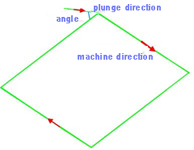 |
Ramp
Ramp is to plunge in a certain angle. Tools goes into the material not in a vertical direction but in slanting direction so that the tool will not be destroyed or broken because of force during entering material. This also ensures that no mark or scar be left on the surface of the material.
|
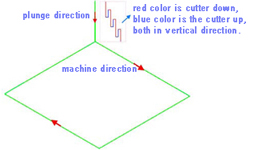 |
Pecking plunge
When using Pecking plunge, the tool goes into a certain depth into the material, and then goes up to a certain height, and repeat this process when cutting the material. Pecking plunge prevents the tool breaks especially when cutting hard materials.
|
 |
Lead in/out
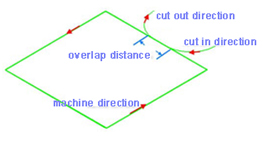
When using Lead in/out, the tool first goes into a certain depth outside of material, and then cuts into the side of the material. |
 |
Toolpath plunge
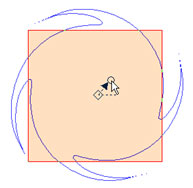
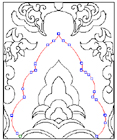
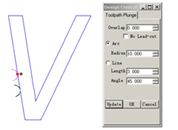
You can modify the start point of profile path by click the start point, and keep the left mouse key down, drag the mouse to move the start point. And the same time the plunge will be modified by the parameter of dialog. |
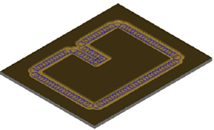 |
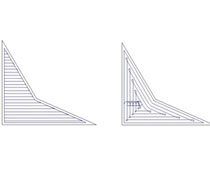
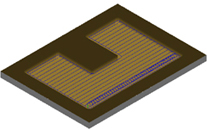
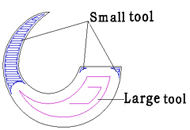
Trochoidal toolpath in profile machining
|
 |
|
 |
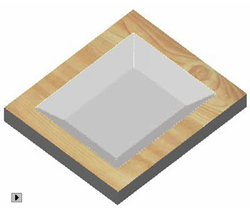
Trochoidal Slot in area clearance
Trochoidal toolpaths are mostly used to create slots in double side cutting. You can use trochoidal paths to create pockets, but there will be some wasted movement when the pocket opens up, and the arcing paths are unnecessary to minimize engagement. |
 |
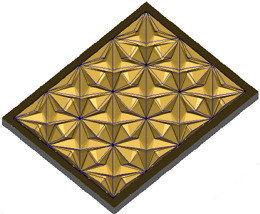
3D Corner Engraving
|
 |
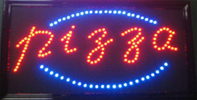
Midline Machining
Midline machining is to machine along the middle axis of the drawing. |
 |
Drilling
You can Drilling on points, on curves, on the center of object
or in region. |
 |
Insert and Inlay
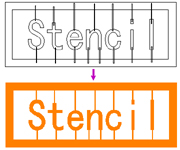
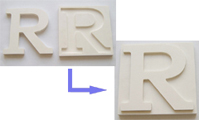
This is a special function of engraving. It is an important measure to make sign marks and craftworks. |
 |
Intelligent machining
|
 |
Prism machining
|
 |
Embossing machining
|
 |
Image dot machining
Image dot machining is to engrave the object after the image is converted into grayscale image. Dots are made on the material based on the different grayscale value. The higher the grayscale value is, the deeper and bigger the dots are, and vice versa. |
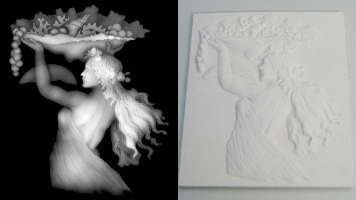 |
Image relief machining
Image relief machining is to engrave the object after the image is converted into grayscale image. The machining is based on brightness level. Min brightness depth and max brightness depth are the depth by which the tool goes into the material. Horizontal/vertical machining is the direction of the tool path. |
 |
Toolpath artistic transform
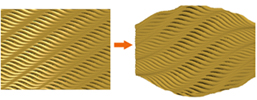
Perspective Distortion and Envelop Distortion can support the toolpath transform. especially can be applyed to the waveboard toolpath. |
 |
Rotary_Axis engraving
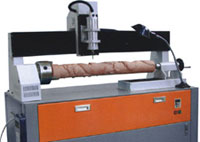
This is used to drive a machine using rotary axis, do cylinder engraving. |
 |
Toolpath simulation
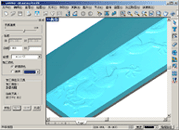
Machining process can be previewed through toolpath simulation, thus avoiding trial cutting and reducing cost. This function is helpful for choosing a proper machining type. |
 |
Post Processor
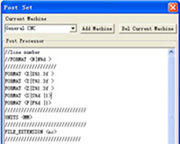
The Post Processor is a programme which converts the tool path in some standard neutral format into the format requried by a specific machine control system. Such as Biesse, CAMtech, Fanuc, Homag, MasterWood, Microstep, NcStudio, RichAuto, SYNTEC, SCM, etc..
|